Engagement rate
See the creator’s engagement rate and how it stacks against similar-size accounts. This built-in engagement rate calculator saves you the likes-plus-comments-over-followers math on every profile.

 Free Chrome extension
Influencer vetting tool that opens on any Instagram, TikTok or YouTube profile: engagement rate, fake follower share and audience quality.
 Add to Chrome — it's free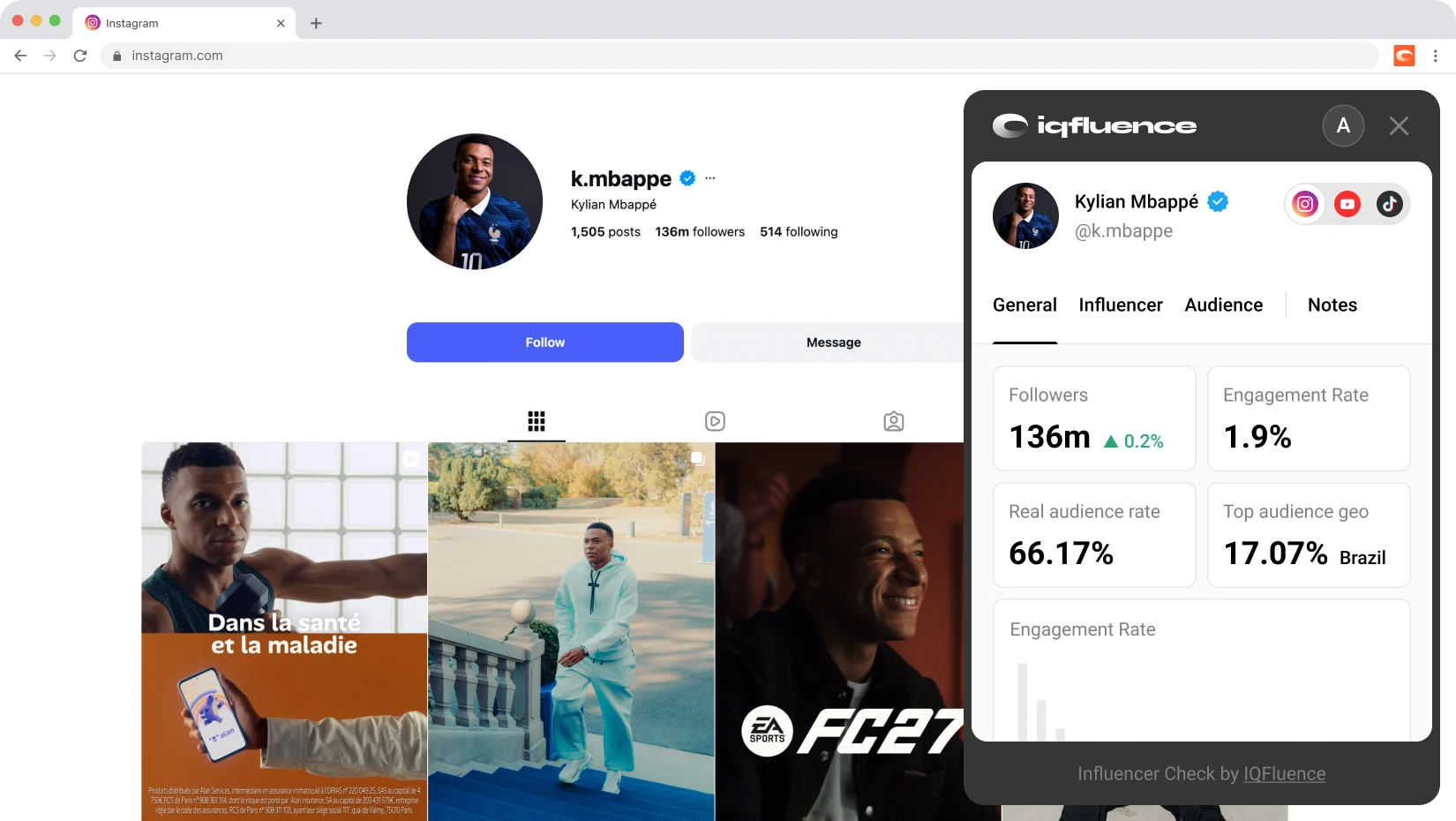
Instagram influencer accounts are estimated to carry a meaningful share of fake or inactive followers. Catching that early is the difference between reach and an empty room.
Why vet at all
A media kit can look perfect while the audience behind it is bots. Bought followers, engagement pods and dormant accounts pad the number and tank the results later.
Before a dollar moves, you want the real engagement rate, how much of the audience is genuine, and where those people live. The influencer audit happens on the profile itself.
What you see
See the creator’s engagement rate and how it stacks against similar-size accounts. This built-in engagement rate calculator saves you the likes-plus-comments-over-followers math on every profile.

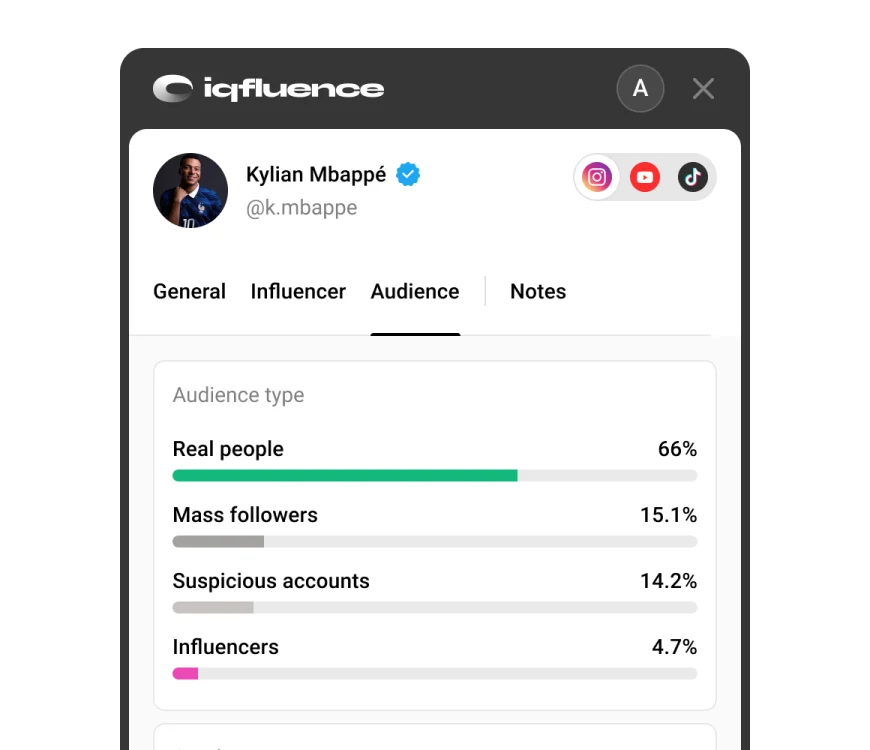
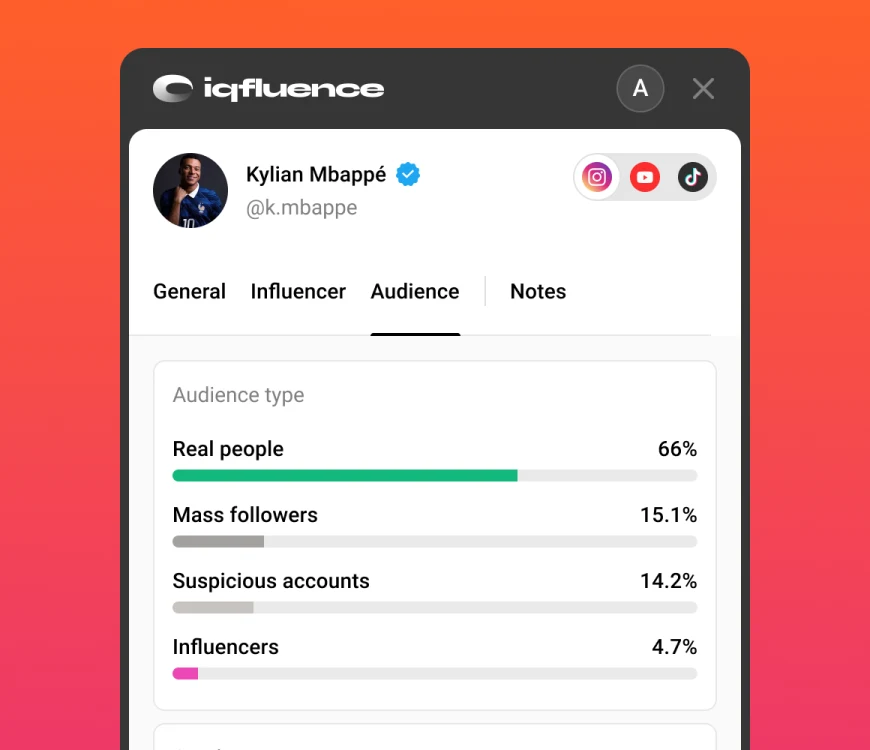
Audience quality shows the share of real, active followers at a glance, with a colour signal. Open a free account and the fake follower check splits the audience into real people, mass followers and suspicious accounts.

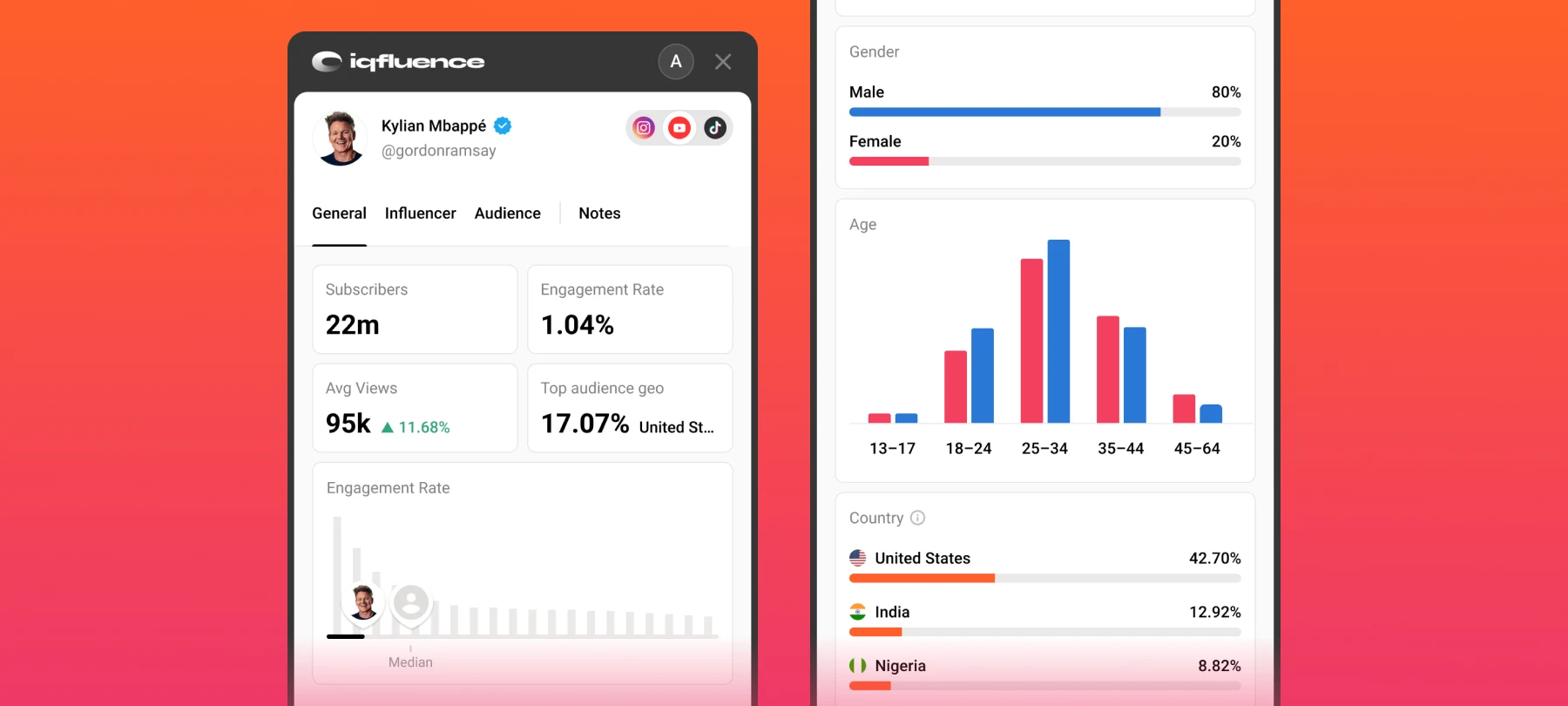
Top audience country loads free. The full report adds demographics by gender, age, country and language, so you can tell whether a creator’s crowd matches the market you’re selling into.

Follower growth over time, average likes, comments, views, saves and shares, plus how recent posts performed. Instagram, TikTok and YouTube analytics without opening a separate dashboard.

Top posts, hashtags and mentions surface what actually works for a creator. Lookalike creators help you widen a shortlist from someone who already fits the brief.

The panel sits over the profile in a compact card and collapses to a small badge when you want the screen back. Nothing to copy, nothing to switch tabs for.
How it works
Install free from the Chrome Web Store and pin it.
Head to any public creator on Instagram, TikTok or YouTube.
The IQFluence panel appears automatically with the metrics available for that creator.
Create a free account to unlock the full report, or jump into the platform for the whole database.
Free, then freer
 Followers or subscribers, plus monthly growthEngagement RateAudience quality scoreTop audience countryEverything you get without an accountFollowers: real, mass and suspiciousDemographics: gender, age, country, languageEngagement rate benchmark vs similar creatorsAverage likes, comments, views, saves, sharesTop content, hashtags, mentions and lookalikesCheck history across sessions
The honest comparison
How a one-click influencer audit compares to eyeballing a profile or paying for a heavyweight suite before you've even shortlisted.
| Metric | IQFluence extension | Guessing from the profile | Full analytics suite |
|---|---|---|---|
| Engagement Rate | One click, on the page | Manual math | Separate dashboard |
| Fake followers | Quality score plus breakdown | Not possible | Yes |
| Audience demographics | Free account | Not possible | Yes |
| Cost to start | Free | Free | Paid plan first |
| Browsing data | Not collected | Not collected | Often collected |
| Time per creator | Seconds | Minutes | Minutes plus tab switching |
Built to be trusted
Vetting tools have a reputation for quietly hoovering up your browsing. This one doesn't work that way.

It pulls the public creator handle from the profile URL you are on, then asks the IQFluence API for that creator’s metrics. It does not parse the page content.

Your other tabs, your history and your personal data stay out of it. The panel only runs on supported creator profiles.

Connecting an account happens on the IQFluence website. The extension never asks for or stores your password, and it never handles payments.
Install the IQFluence Chrome extension, open any public Instagram profile, and a panel shows the creator's audience quality score right away. Create a free IQFluence account and the panel opens the full breakdown: what share of the audience is real people versus mass followers versus suspicious accounts. It works the same way on TikTok and YouTube profiles.
Yes. You get 5 checks a day with no account at all. A free IQFluence account raises that to 15 checks a day, unlocks the full free report and keeps a history of what you checked. Paid plans live inside the IQFluence web app, not in the extension, and the extension never processes payments.
A good engagement rate depends on platform and follower count. Smaller creators usually post higher rates than mega accounts, because a tight audience reacts more. Rather than guess against a single number, the extension benchmarks each creator against similar-size accounts on the same platform, so you can see whether a 2% rate is strong or soft for that tier.
Yes. IQFluence works on Instagram, TikTok and YouTube creator profiles. Open a profile on any of the three and the panel appears with the metrics available for that platform. Some metrics differ by platform because each network exposes different data.
The extension reads only the public creator handle from the profile URL you are on, then asks the IQFluence API for that creator's metrics. It does not read the page content, does not track your browsing history and never asks for your password. A randomly generated identifier and basic usage counts keep the daily limits working and are not tied to a fingerprint of your device.
Audience quality is the share of a creator's followers who are real, active people, as opposed to mass followers, bots or suspicious accounts. IQFluence scores each profile and shows the percentage with a simple color signal, so you can spot an inflated following before you commit any budget.
Add IQFluence to Chrome and your next influencer audit happens right where you found the profile.
Add to Chrome — it's free