1
Browse in Discovery
Filters surface creators who match your brief. Not every one of them belongs on a shortlist, and that’s expected.

Influencer shortlist tool that keeps a shortlist and a blacklist in one place, with the reason attached to every name.
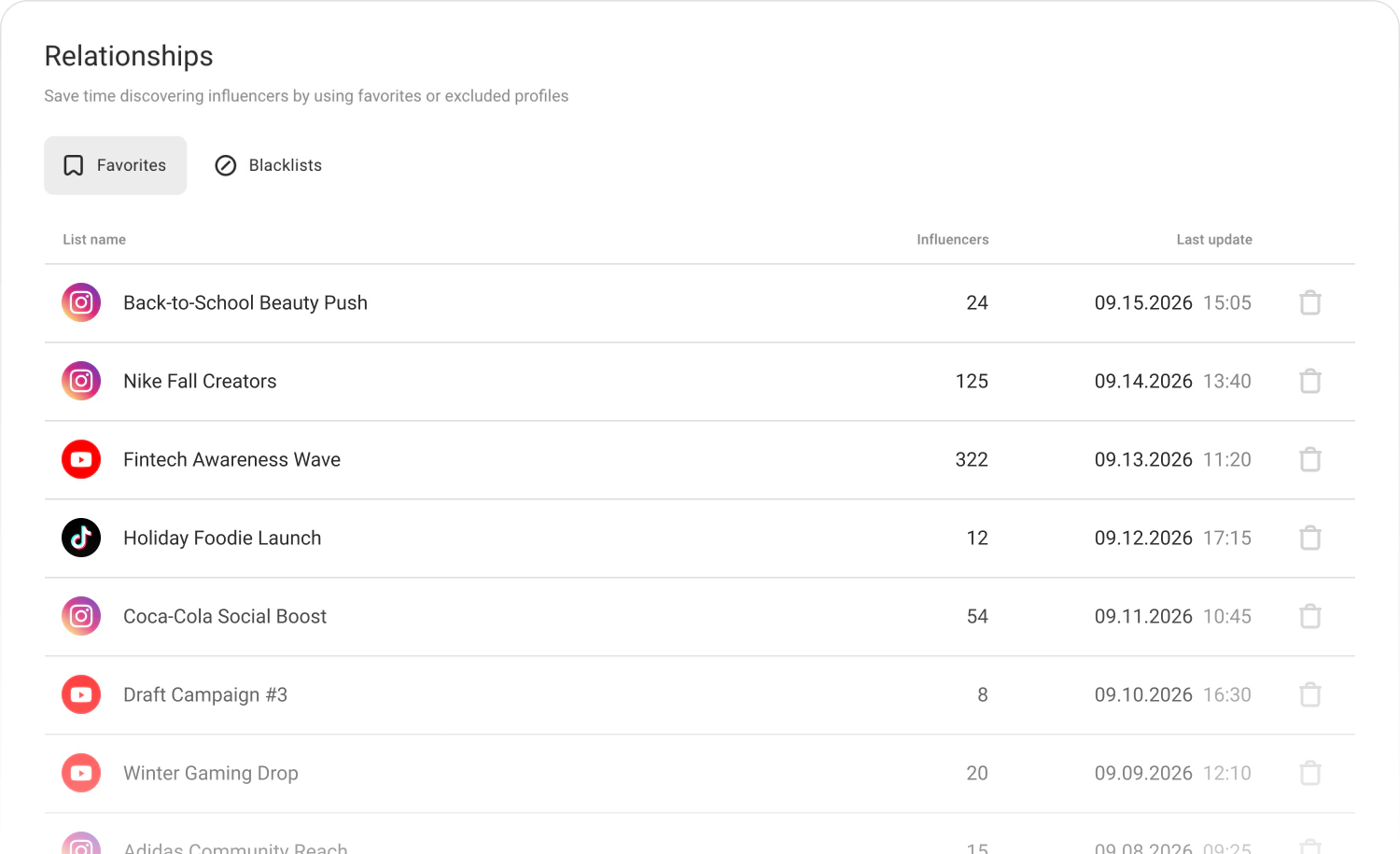
Relationships: the shortlist, the blacklist, and the reason behind every name
Featured in Influencer Marketing Hub Top Platforms 2026 • 5.0 on Capterra







Finally, a clean way to organize influencer relationships as you browse thousands of profiles in Discovery. Shortlist the right creators and blacklist the wrong ones. No spreadsheets needed.
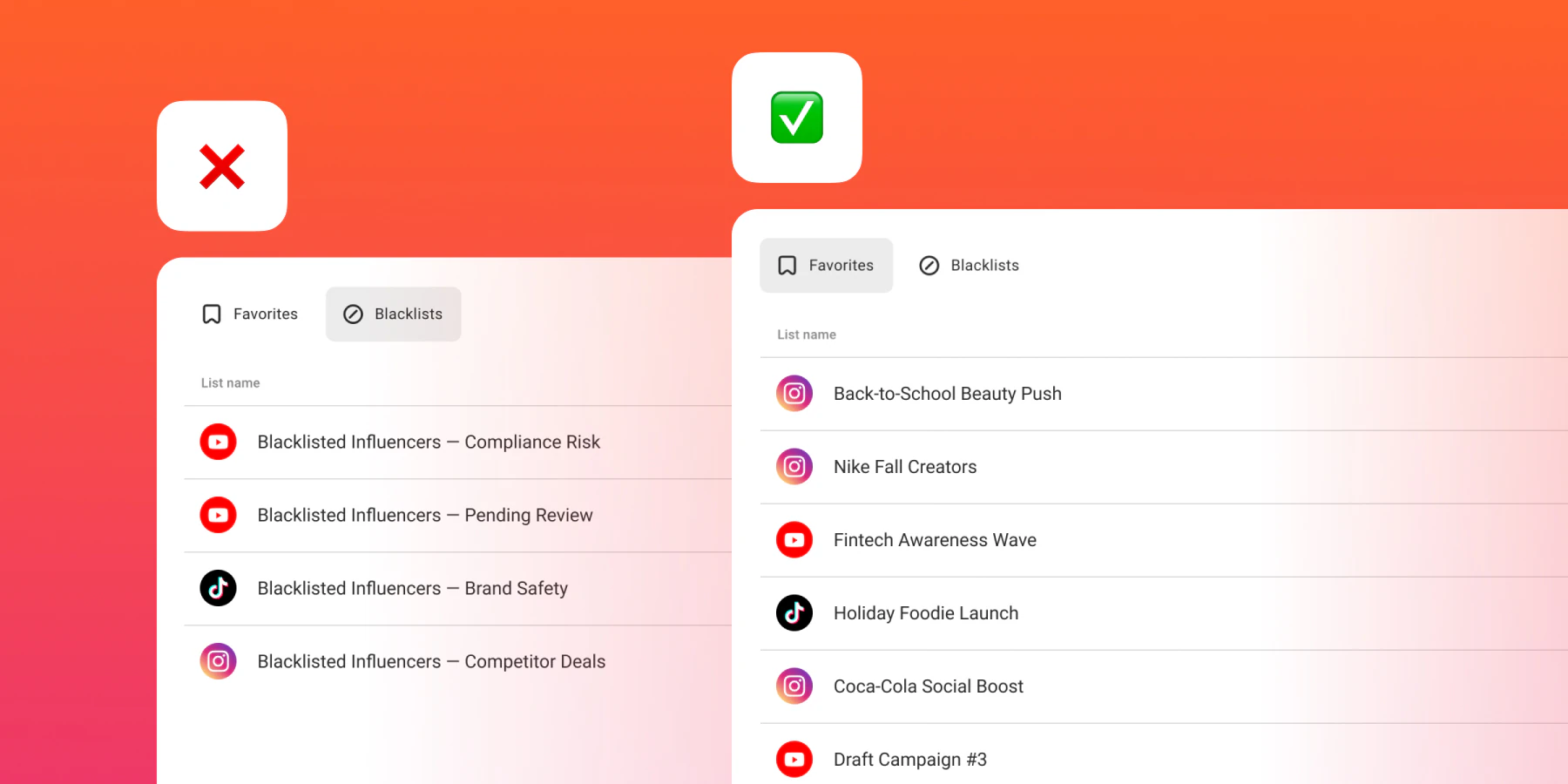
How to shortlist influencers
Filters surface creators who match your brief. Not every one of them belongs on a shortlist, and that’s expected.
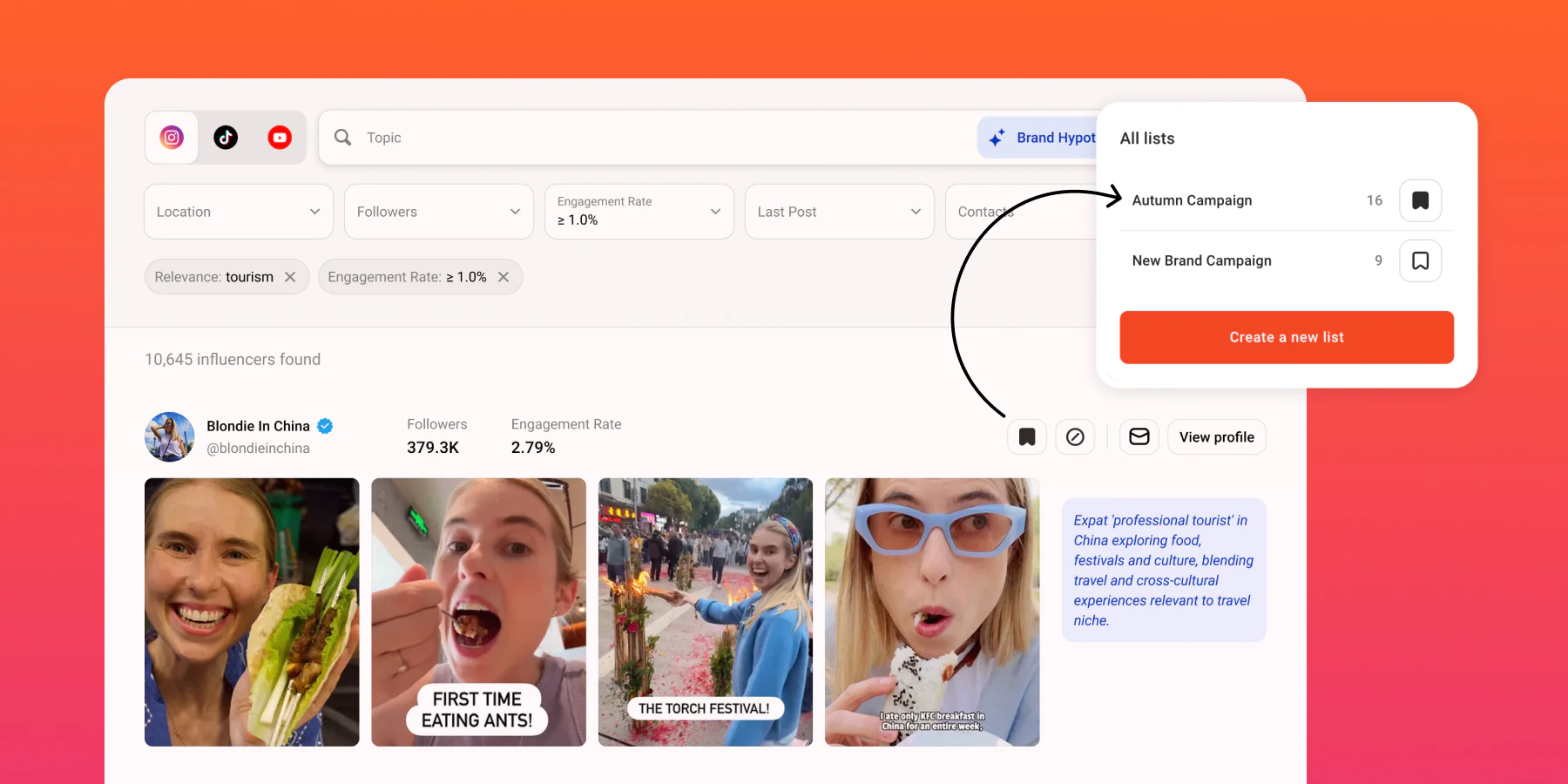
One click saves a creator to your roster. Another sends them to the blacklist, no need to leave the profile or open a separate sheet.
Add a short note to the decision: already worked with, not a fit, underperformed, went with a competitor. The next person on your team never has to ask why.
Your blacklist applies as a filter in future Discovery searches, so the same names don’t keep resurfacing. Your shortlist stays ready for the next brief that fits.
Why it exists
As you browse Discovery, save promising creators, do a quick vibe check, and decide who is worth reaching out to, without losing track of the good ones.
Every team has a mental blacklist: creators who underperformed, ghosted, were rude, missed the brief, don’t fit the brand, are simply people you’ve already worked with, or recently ran a campaign for a competitor. Put it somewhere real, with a reason attached, so the next person on your team doesn’t have to relearn it the hard way.
Unlock contacts in bulk and pull batch analytics reports across your whole shortlist at once.
Export profile metrics, audience breakdown, location and language data, and contact information whenever you need it outside IQFluence.
Open Discovery, save a few creators, skip a few, and see how much of the next brief is already done for you.
Search across 375M+ creators on Instagram, TikTok and YouTube
Featured in Influencer Marketing Hub Top Platforms 2026 • 5.0 on Capterra
No account needed
 Free influencer reports Browse pre-built reports on top creators, audience quality, engagement, and fake-follower flags included, without creating an account. See free reports
  Fake follower check Run a quick audience-quality check on any creator before you commit budget to outreach. Check a profile Instagram ER Calculator Average ER for any IG handle, in seconds. Search Instagram creators
  YouTube ER Calculator Avg views + ER for any channel. Search YouTube creators
  TikTok ER Calculator Recent post performance + ER for any TT handle. Search TikTok creators Instagram Email Finder Find the public business email behind an IG profile. Find Instagram emails TikTok Email Finder Pull the public email from any TikTok profile. Find TikTok emails YouTube Email Finder Get the business email listed on any YouTube channel. Find YouTube emails TikTok Analytics Tool Key metrics and performance overview for any TT account. Analyze a TikTok account Instagram Profile Analyzer Quick read on growth, post cadence, and engagement health. Analyze an Instagram profile Instagram Finder Search Instagram creators by niche, location, or keyword. Search Instagram creators TikTok User Search Find TikTok creators by username or keyword. Search TikTok creators YouTube Channel Finder Discover YouTube channels by topic or niche. Search YouTube creators Instagram Follower Tracker Track follower growth over time for any IG handle. Track Instagram followers TikTok Follower Count Check the current follower count for any TT account. Check TikTok followers YouTube Subscriber Count Live subscriber count for any YouTube channel. Check YouTube subscribers Instagram Bio Search Find Instagram profiles by keywords in their bio. Search Instagram bios YouTube Channel Crawler Crawl related channels from any YouTube starting point. Find related channels Instagram Email Scraper Extract public contact emails from IG profiles in bulk. Extract Instagram emails
 Built for agencies, brand teams and growth teams

Five clients, five briefs, and a different angle for each? Keep the work separate per brand so nothing bleeds between accounts, and hand the account team something they can forward without rebuilding it first.

Launching with no campaign history to lean on? Start from data instead of a hunch, and let the first campaign leave you with a benchmark the second one can be measured against.

Leadership wants efficiency, not screenshots? Every creator comes with the same metrics you already report on elsewhere, so influencer spend sits in the same conversation as the rest of acquisition.

Find creators across Instagram, YouTube and TikTok in a 375M-profile database, with 13+ filters for audience fit, engagement quality, and location.
Read more about Influencer Search
Analyze each creator’s profile and audience in one view: average likes, shares, views, engagement rate, post themes, plus audience age and location.
Read more about Influencer Analysis
IQFluence influencer reporting tool scoops the collab stats and does all the math, so you don’t have to.
Read more about Campaign Reporting
Break down how much of each creator’s audience is shared versus net-new across Instagram, YouTube and TikTok, so you avoid cannibalization, clean up your reach, and plan the budget.
Read more about Audience OverlapRelationships is your space to organize creators you’ve found in Discovery. Build shortlists for specific campaigns, keep a running go-to roster of influencers, and create blacklists of creators you don’t want to work with, all in one place, without spreadsheets.
Discovery is where you search and find everyone who matches your filters. Relationships is where you separate the signal from the noise.
When you add a creator to a blacklist, they won’t show up in your future Discovery results if you apply that blacklist as a filter.
Whatever your team actually decides on: already worked with, not a brand fit, underperformed last time, or recently ran a campaign for a competitor are the ones teams reach for most. The note travels with the creator, so anyone on the team sees why before they reach out.
Yes. You can build shortlists and blacklists across all three supported platforms and manage them in one place.
Relationships helps organize saved creators into lists for further work. A free IQFluence account includes 3 searches, 5 AI searches (up to 30 results), 10 influencer reports and 10 email exports. Check the selected plan for Relationships features and limits; signup does not promise unrestricted access to every core tool.
Save the creators worth pitching, blacklist the rest with the reason attached, and stop rediscovering people you already ruled out.
Search across 375M+ creators on Instagram, TikTok and YouTube
Featured in Influencer Marketing Hub Top Platforms 2026 • 5.0 on Capterra